Look up a word
Tap any word of a sentence you have finished to hear it, see what it means in that sentence in your language, and read its dictionary entry with examples.
⏱ 1 minute
A dictionary inside every sentence.
Tap a word: hear it, see what it means here, in your language, and how else it is used.
Tap a word
When you have finished a sentence (in Dictation, once it is correct; in Shadowing, on any line), every word in it can be tapped. A small card opens next to the word, with the word marked in red.
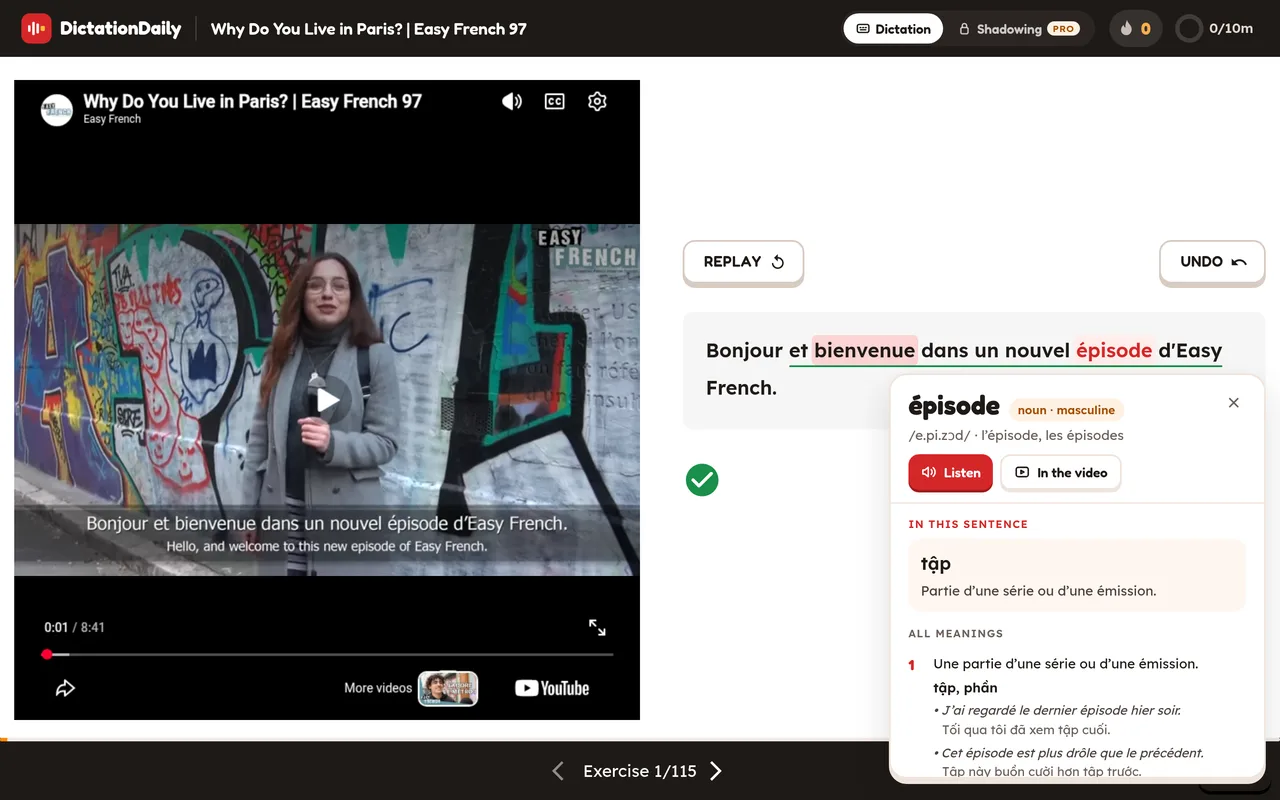
What the card shows
The word
The word as a dictionary lists it, what kind of word it is (and whether a noun is masculine or feminine), how to say it in IPA, and the forms you need: the article and plural, or a verb's main forms.
Hear it
Listen says the word clearly. In the video plays the moment the speaker says it, then goes back to where you were.
In this sentence
What the word means here, in your language, with a simple explanation in the language you are learning.
All meanings
The word's common meanings, each with two short examples and their translations. The meaning used in your sentence has a red number.
While the card is open
The video pauses and the lesson's keys wait, so Space doesn't move you on by mistake. Esc, the ✕, or a click outside closes the card, and you carry on where you were.
On your phone
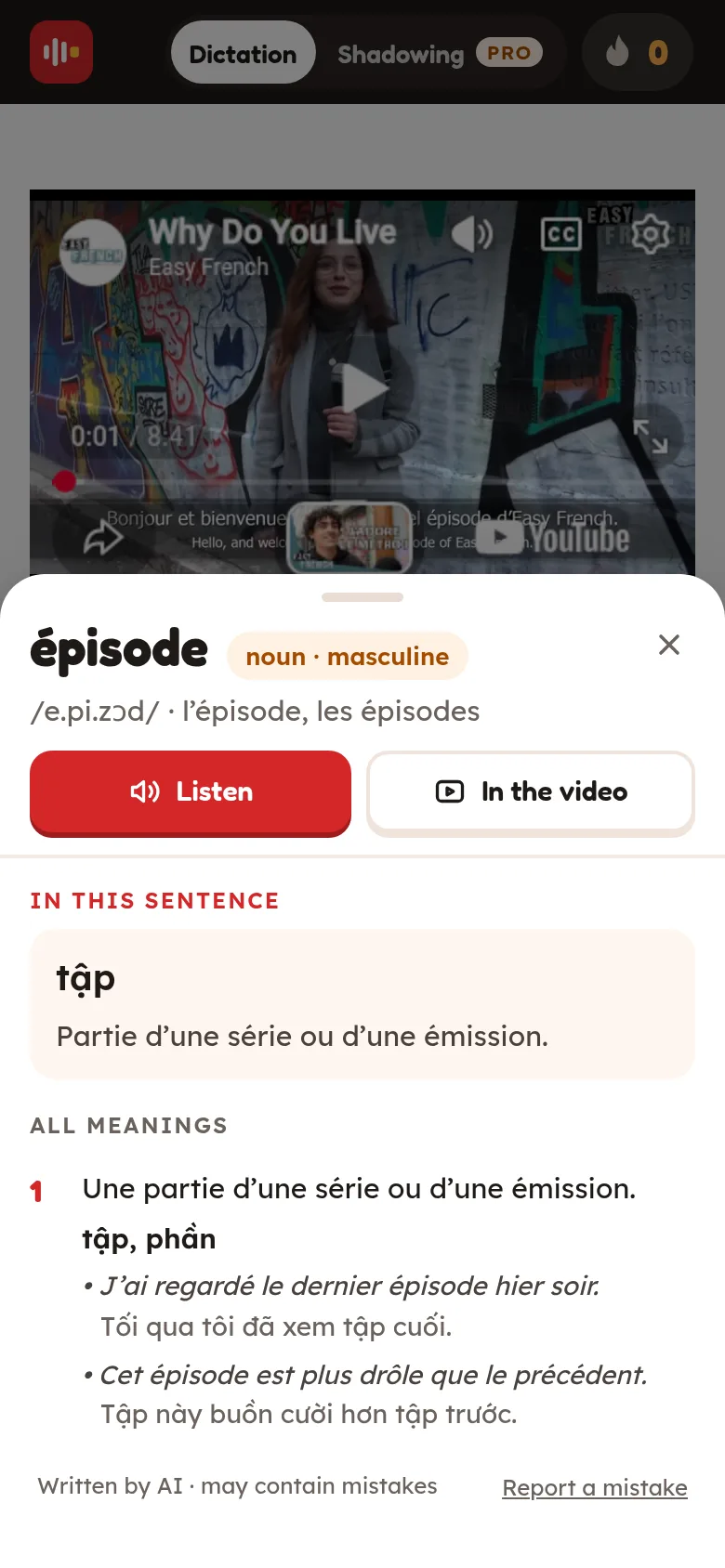
On a phone the card slides up from the bottom of the screen. Swipe it down or tap above it to close it.
Good to know
- Looking up words is for signed-in learners. The meanings are in the language you chose under Settings › Languages › I speak.
- A word nobody has looked up before takes a second or two the first time. You can look up 50 new words a day (500 with Pro). Words already in the dictionary never count.
- The cards are written by AI and can contain mistakes. If something looks wrong, press Report a mistake at the bottom of the card.