Shadowing: say it after the speaker
Switch a lesson to Shadowing, record yourself line by line and see which words came out clearly. The first 3 lines of every video are free; the rest is Pro.
⏱ 3 minutes
Dictation trains your ears. Shadowing trains your mouth.
Listen to one line, say it right after the speaker, and see which words were heard clearly.
Switch to Shadowing
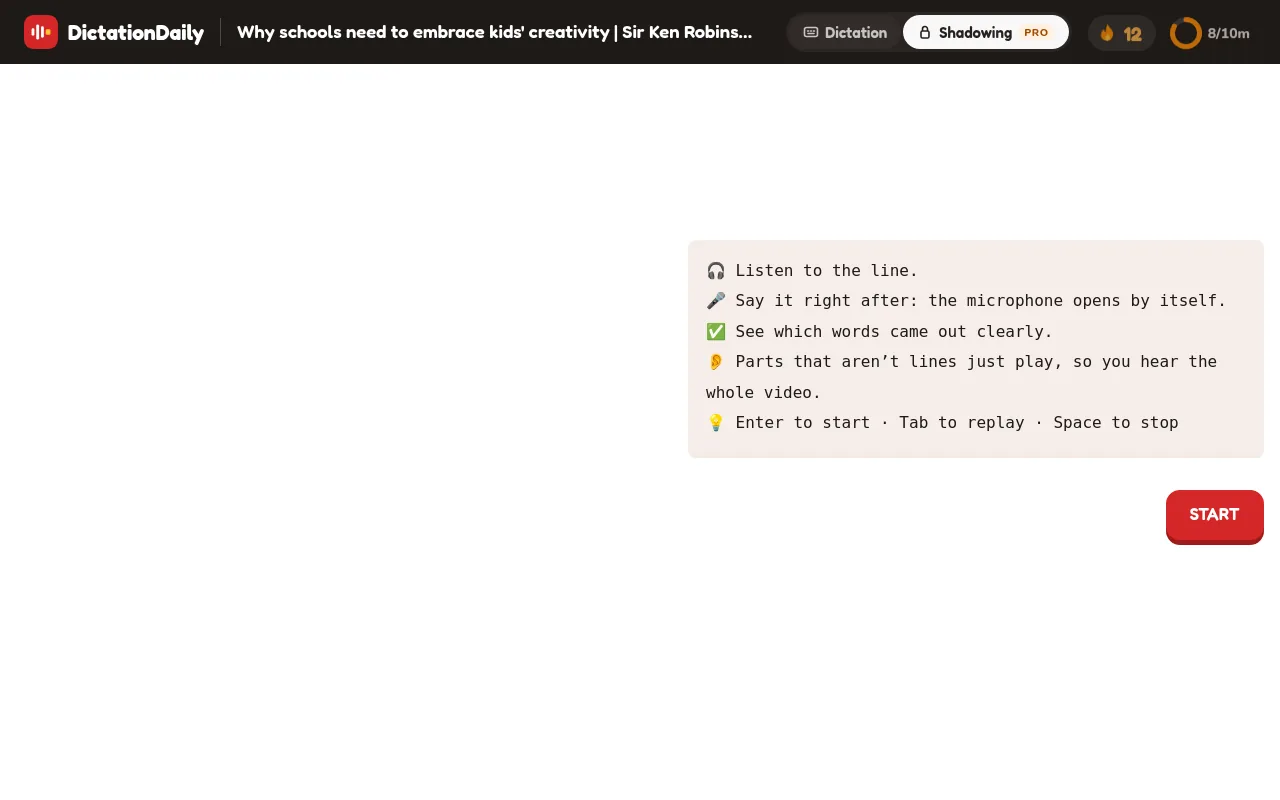
Open any lesson. In the top bar, click Shadowing. The video stays; only the card on the right changes. Press START (or Enter) and the first line plays. Each mode remembers its own place, so you can switch back to Dictation at any time.
One line in four taps
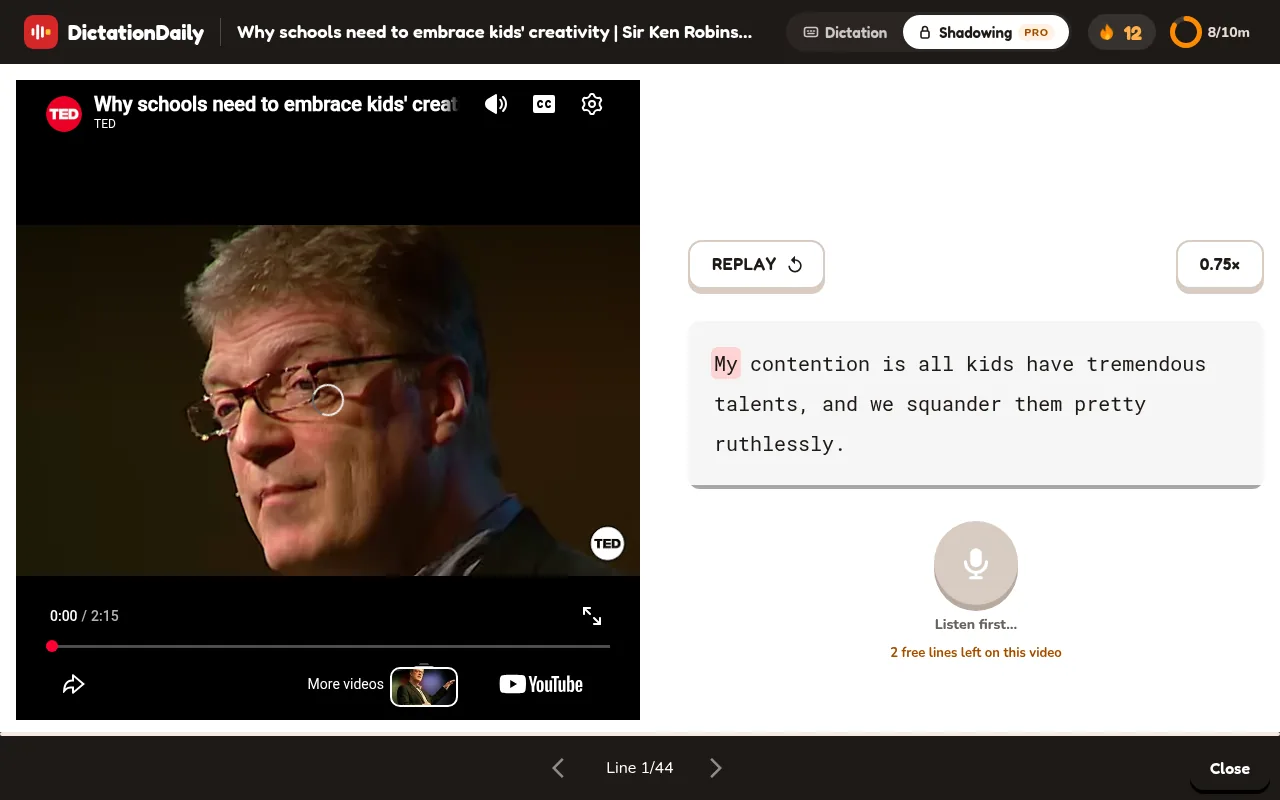
1. Listen
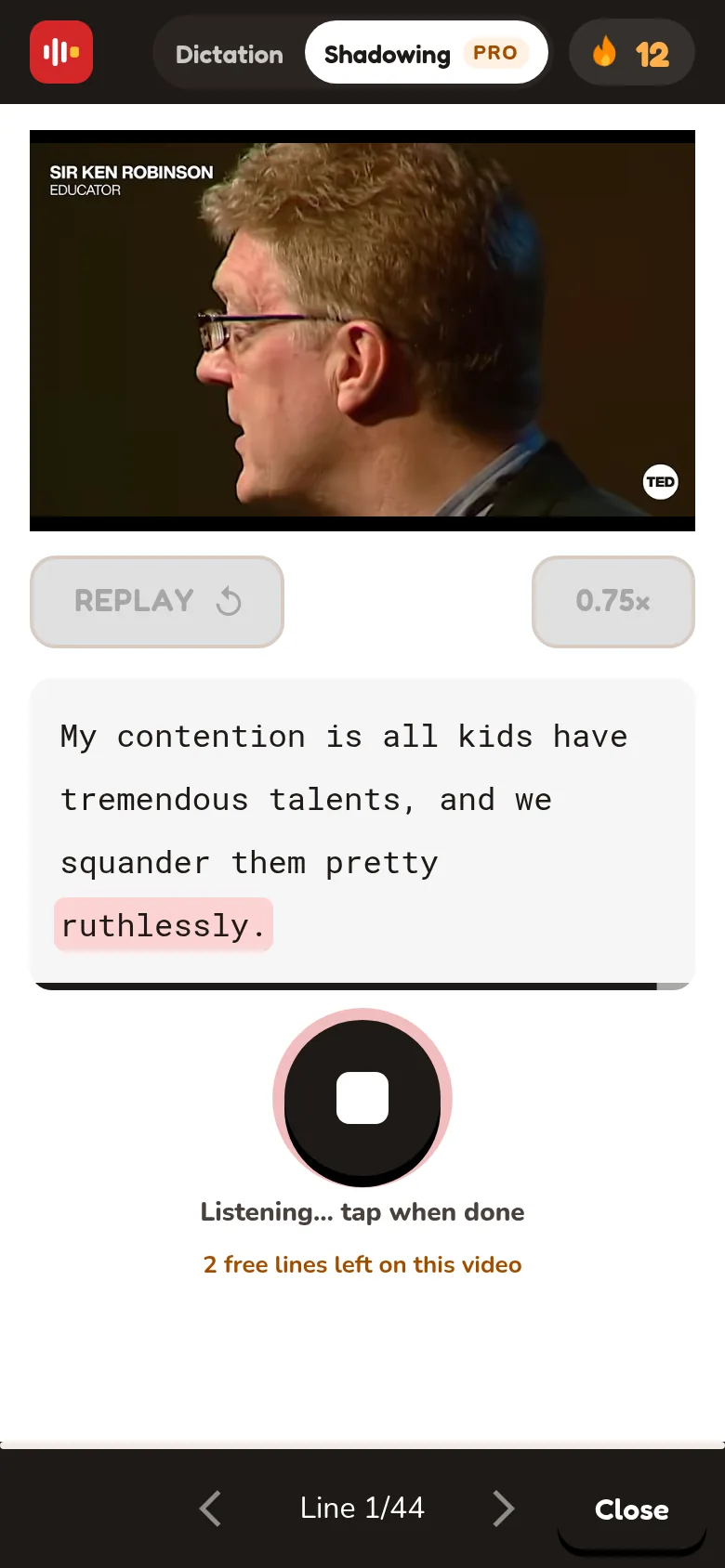
The line plays by itself and the words light up. The record button stays grey until it ends. The small speaker button (or Tab) replays it.
2. Record
When the button turns red, tap it (or Space) and say the line. It stops by itself, or tap again.
3. See the result
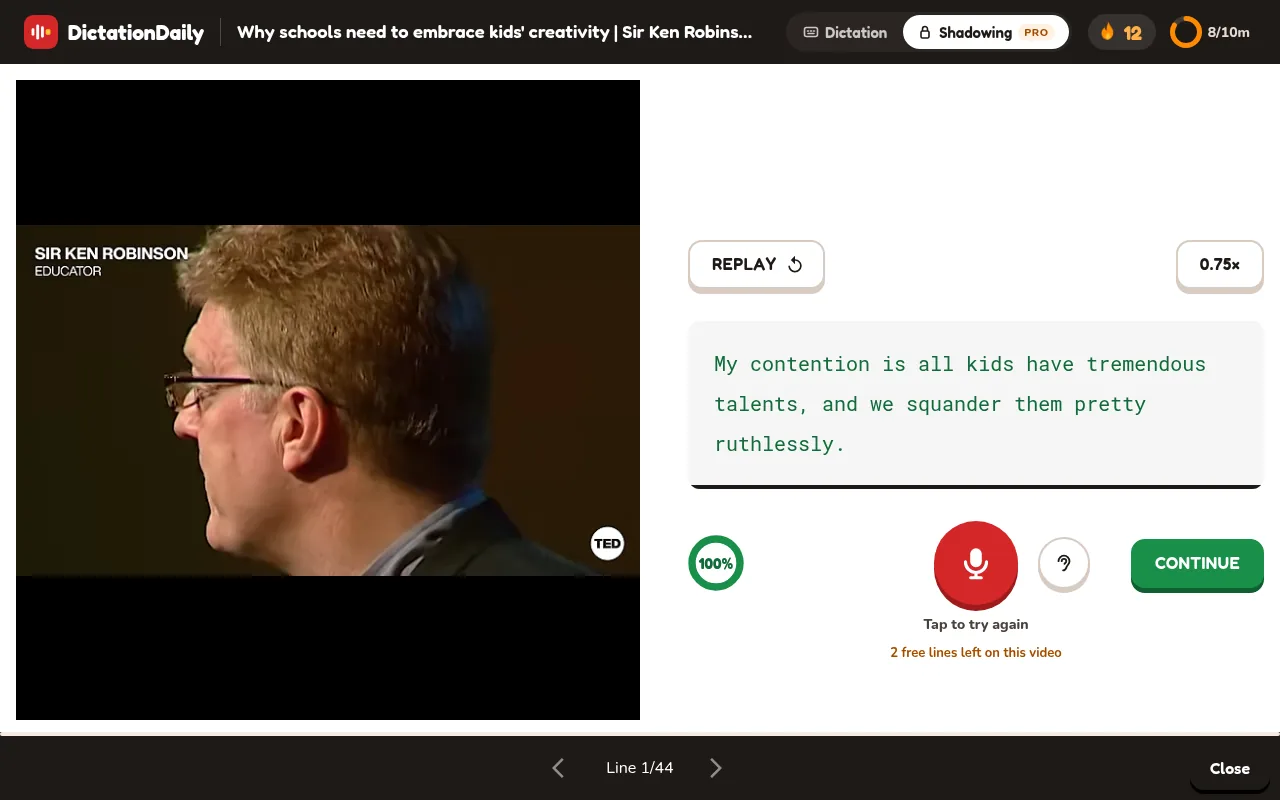
Green words were heard clearly, red underlined ones were not. The ear button plays your take; the red button records again.
4. Continue
CONTINUE (or Enter) moves on, and the next line plays by itself.
What the score means
The score is the share of the line's words the app heard clearly in your take. 100% means every word was clear. It is not a pronunciation grade: speaking too fast, too softly, or too far from the microphone also lowers it. Under the score you also see your timing, for example You said it 0.8 s slower than the speaker, and a hint such as Try “cup of” again.
Too fast? Slow it down
Press the 0.75× button to hear the line slower; press it again for normal speed. Lines from fast speakers start at 0.75× by themselves. The speed only applies to Shadowing.
Pro and the free lines
Shadowing is part of DictationDaily Pro. The first 3 lines of every video are free, so you can try it on any lesson. After them, the card changes:
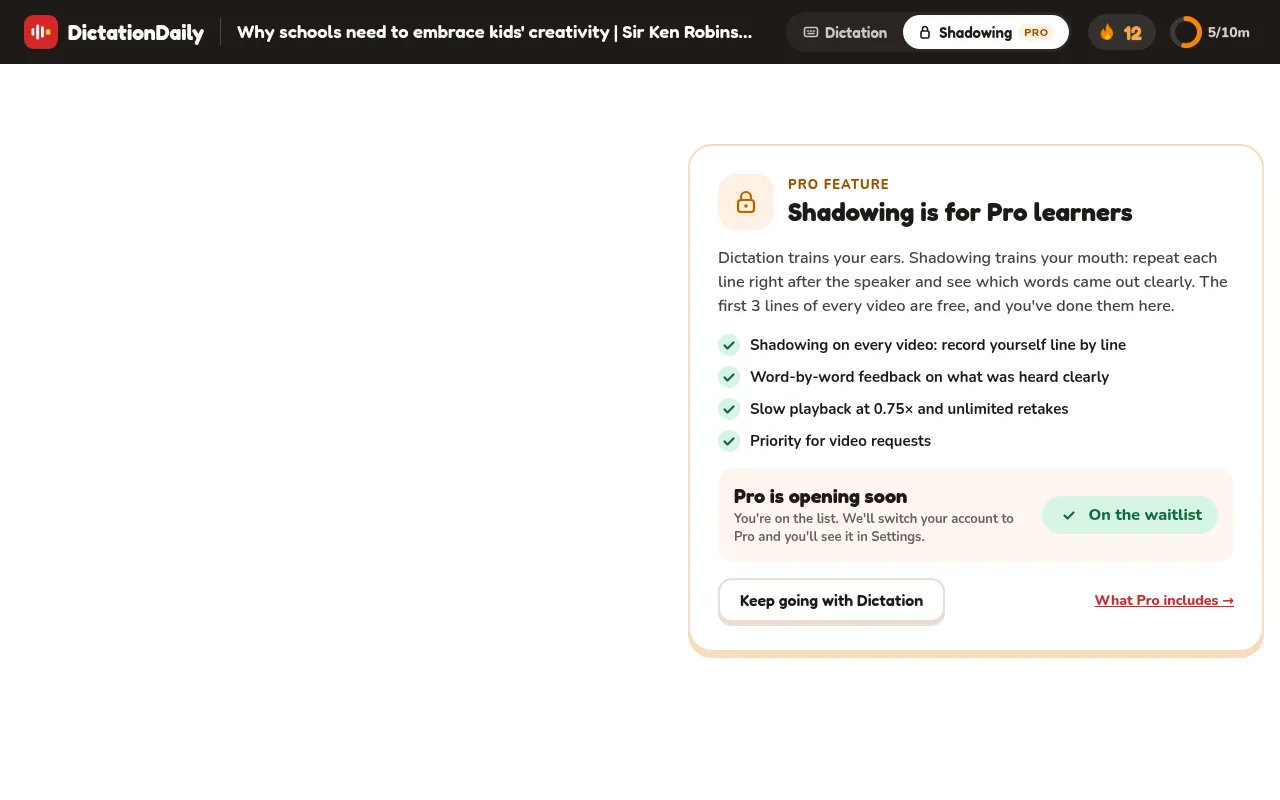
Pro is opening in small groups and is switched on by hand, so there is no payment yet:
- Press Join the Pro waitlist (sign in first if you haven't).
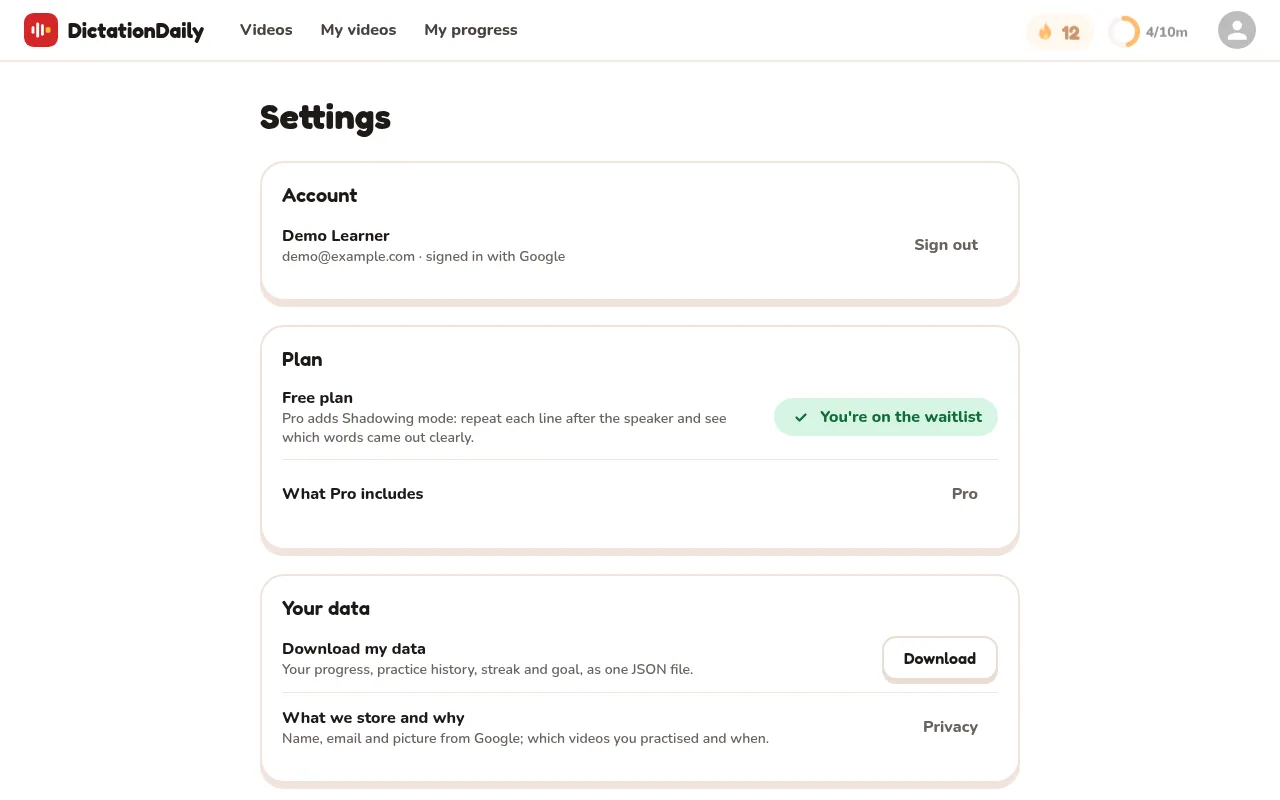
- When your account is switched to Pro, the lock on the Shadowing button disappears, and Settings › Plan says Pro.
You can also join on the Pro page or on Settings.
It counts for your streak
Each line you finish counts as practice, exactly like a correct dictation sentence: it adds to today's minutes and keeps your streak alive. After the last line you get the same finish screen as Dictation, with SHADOW IT AGAIN. Shadowing keeps its own place in each video, separate from your dictation progress.
On your phone
Shadowing works on phones too: the player is on top, the card under it. The first time, your browser asks for permission to use the microphone.
Your privacy
Your recording is sent to a speech-to-text model to find out which words were said, and then dropped. Nothing you record is stored, and nobody listens to it. Each account can run a number of checks per day; after that, recording and playback still work, and the word check comes back the next day.
Something's not working?
The record button says microphone access is needed
Allow the microphone for dictationdaily.com in your browser's site settings, then reload the page.
“This browser can't record audio”
Use a recent Chrome, Edge, Firefox or Safari.
“We didn't catch any words”
Record closer to the microphone, or check which microphone your system uses. Then press Again.
“We couldn't check this take”
The speech service didn't answer. You can still play your take next to the speaker's, or record again.